Eclipse Enclave
Eclipse Enclave runs Claude, Codex, OpenCode, and other AI coding agents at full autonomy. Each one runs in its own isolated container, with your files and network access under your control.
You get an agent that acts without asking for permission at every step, without handing it the run of your host. Run it from any git repository:
enclave
Enclave builds the sandbox, mounts your current checkout, and starts the agent against the branch you have checked out. See Getting Started to install and dig in.
The freedom that makes agents useful makes them dangerous
An agent is most productive when it can act without asking: running commands and ad-hoc scripts, editing files, all without a confirmation prompt at every step. But that same freedom lets an unrestricted agent on your host delete the wrong files, leak secrets, be hijacked by a prompt injection, or let parallel sessions interfere with each other.
Isolation that stays out of the agent's way
Eclipse Enclave puts each agent session in its own container, behind a filtering gateway with the default Docker backend, so you can hand an agent full autonomy without handing it your host.
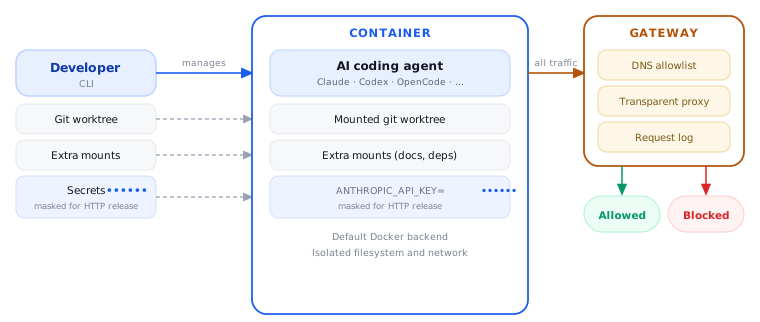
Each session runs in a container with its own filesystem, process tree, and network stack. Only what you mount in — typically the project worktree — is shared with the host.
Run each session in its own git worktree so parallel agents cannot interfere with each other's changes. You review and integrate on your terms.
With the default Docker backend, a sidecar gateway filters DNS and proxies outbound traffic, so an agent only reaches allowlisted domains. Everything else is blocked and logged.
Run Claude Code, Codex, Theia AI, OpenCode, and more from one CLI, each with the same isolation.
The gateway logs DNS queries and proxied requests, giving you an evidence trail for security and compliance reviews.
Create, pause, resume, and inspect sessions at any time. Auth, config, and history persist across restarts.
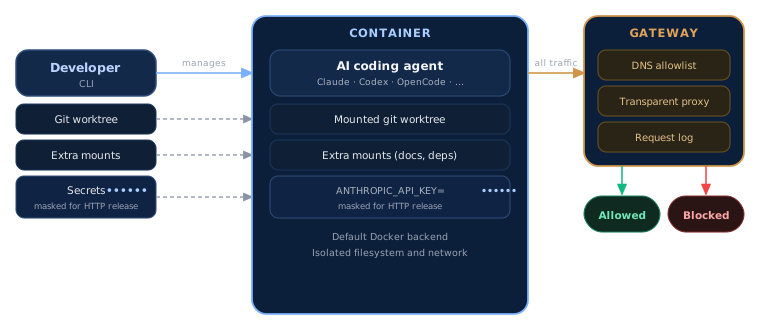
The developer passes the working directory (a branch checkout or a dedicated git worktree), any extra mounts, and secrets into the container. Secrets configured for HTTP release are masked from the agent: the gateway injects them only into requests to matching allowlisted hosts, so their values stay hidden. Other credentials are exposed inside the container as mounted files or environment variables. With the default Docker backend, all outbound traffic passes through the gateway; the experimental QEMU microVM backend currently runs without network restrictions.
Coming soon: HomeShell
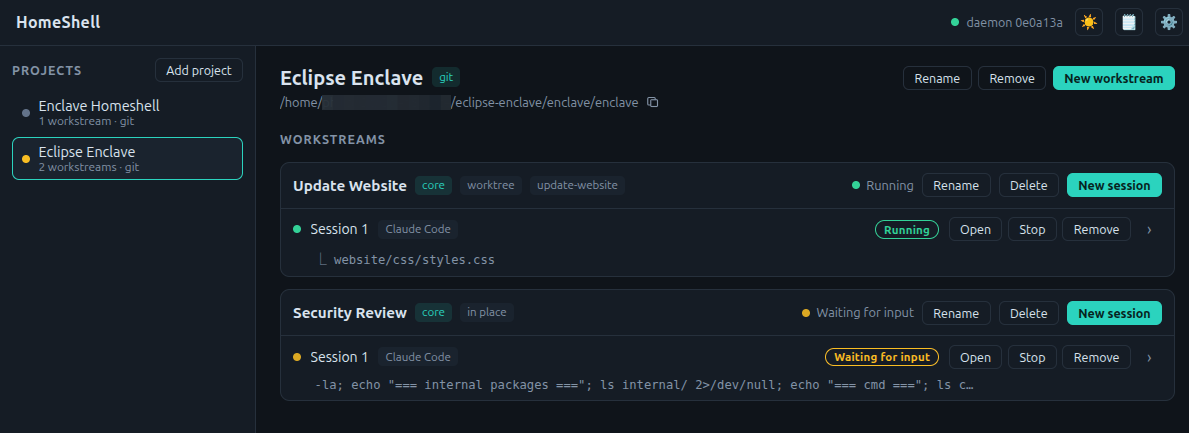
Today Enclave is a CLI. HomeShell is a graphical companion on the way: group your work into projects, split each into workstreams, and run agent sessions across them. Start, watch, and switch between sandboxed sessions with a live overview of every agent's status.
Next steps
Head to Getting Started to install Enclave and start your first sandboxed session.